Pet slideshow ideas that owners save.
Updated 29 October 2026
Two example slideshows
Wavegrain drew both with its own slide renderer, using free-licence photos. They are examples, not customer posts. Swipe through each one.
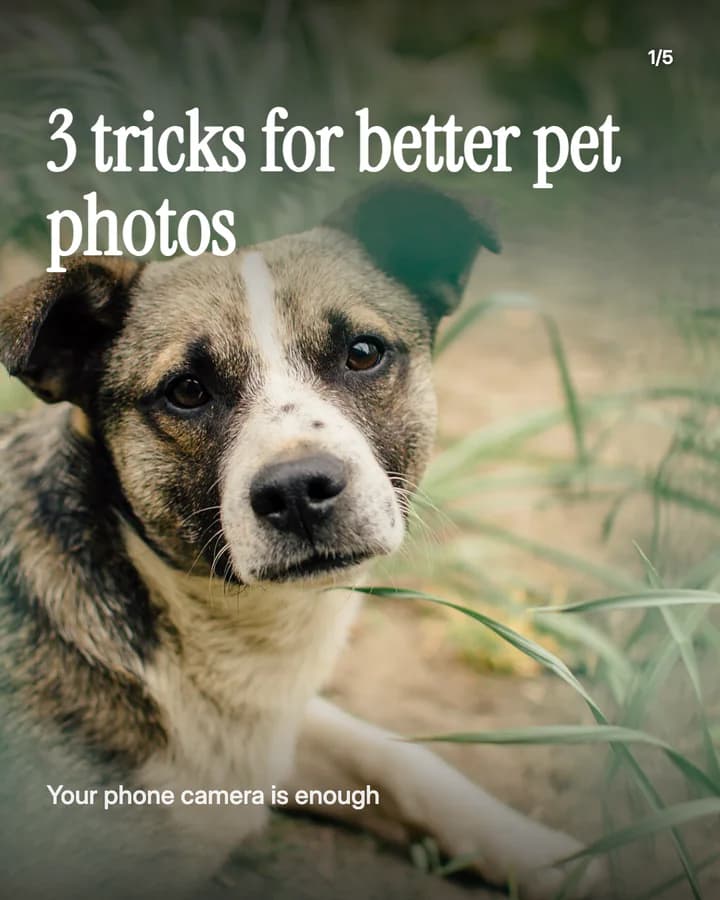
3 tricks for better pet photos
5 slides · Listicle structure




Day out with your dog
6 slides · Educational structure


10 hooks for pets slideshows
“3 tricks for better pet photos”
Listicle. Every owner takes photos of their pet, and a number promises a short read.
“Things my dog does that make no sense”
Story. Owners recognise their own pet in it and tag a friend in the comments.
“A day in the life of a very lazy cat”
Story. A day told in photos is easy to follow and fun to swipe.
“What I pack for a day out with my dog”
Checklist. A list people can copy is a list people save.
“Our dog's first year, one photo a month”
Before/After. Watching a puppy grow up across the slides makes people swipe to the end.
“Rate my cat's sleeping spots”
Ranking. A ranking invites people to agree and share their own pet's spot.
“Things nobody tells you about a rescue dog”
Story. It speaks to new and future owners, who search for exactly this.
“Dog-friendly cafés in our town”
Recommendation. Local tips are useful to nearby owners and easy to save for the weekend.
“Our evening routine, from the dog's side”
Routine. A familiar routine told from the pet's view makes an ordinary day funny.
“Save this before your next vet visit”
Save prompt. It tells the reader the post is useful later, when they need it.
Formats that fit
Each format is a look and a post structure you can pick in Wavegrain.
TikTok caption story
Story structure
A day in your pet's life, told as short captions over your own photos, one moment per slide.
Numbered list
Listicle structure
Photo tips, toys they actually use, or habits that make them laugh, one per slide.
Step-by-step explainer
Educational structure
A packing list or a routine in order, such as a day out, a car trip or bath time.
Editorial profile
Before/After structure
Your pet's first day with you next to today, or a growth series one photo per month.
A week of posts
- Monday
- A day in your pet's life, told in captions over your own photos.
- Tuesday
- A list your followers can use, such as what to pack for a day out.
- Thursday
- Their sleeping spots or favourite toys, ranked, with a question for the comments.
- Friday
- A local walk or a pet-friendly café for the weekend, one photo per slide.
- Sunday
- A then and now post, from their first week with you to today.
Rules to watch
- Never stage a scene that scares, hurts or stresses an animal for a photo. TikTok does not allow animal abuse, cruelty or neglect, and a stressed pet is not a good post.
- Keep health and food tips general, and say to ask a vet for anything about illness, medicine or diet. You are not your followers' vet.
- If a brand paid for the post or sent you food, toys or gear for free, turn on the platform's paid partnership or branded content label.
- Use photos of your own pets, or ask the owner first. If you use AI to make a realistic pet photo, label it as AI-generated.
Questions
What should a pet slideshow be about?
A moment every owner knows, told in your own photos: a day in your pet's life, a then and now series, a ranking of their habits, or a list people can use, such as what to pack for a day out.
Can I run a pet account without showing my face?
Yes. Most pet accounts show the pet, not the owner. Your hands, your feet on a walk and the places you go are enough, and both examples on this page show no people's faces.
Can I give pet health tips in a slideshow?
Keep them general and say when to ask a vet. Do not tell followers how to treat an illness, what medicine to give or how to change a diet for a health problem.
Does Wavegrain write the slides for me?
Yes. You give a topic, and Wavegrain writes the hook, 3 to 10 slides and the caption, places your pet photos, and keeps everything editable before you export or schedule it.
Which size should a pet slideshow be?
1080x1920 (9:16) fills the screen on TikTok. For an Instagram carousel, use 1080x1350 (4:5) or 1080x1440 (3:4). Wavegrain exports all three.