Why AI Image Characters Drift, and How to Keep Them Consistent
By Piet PhamReviewed on 6 min read
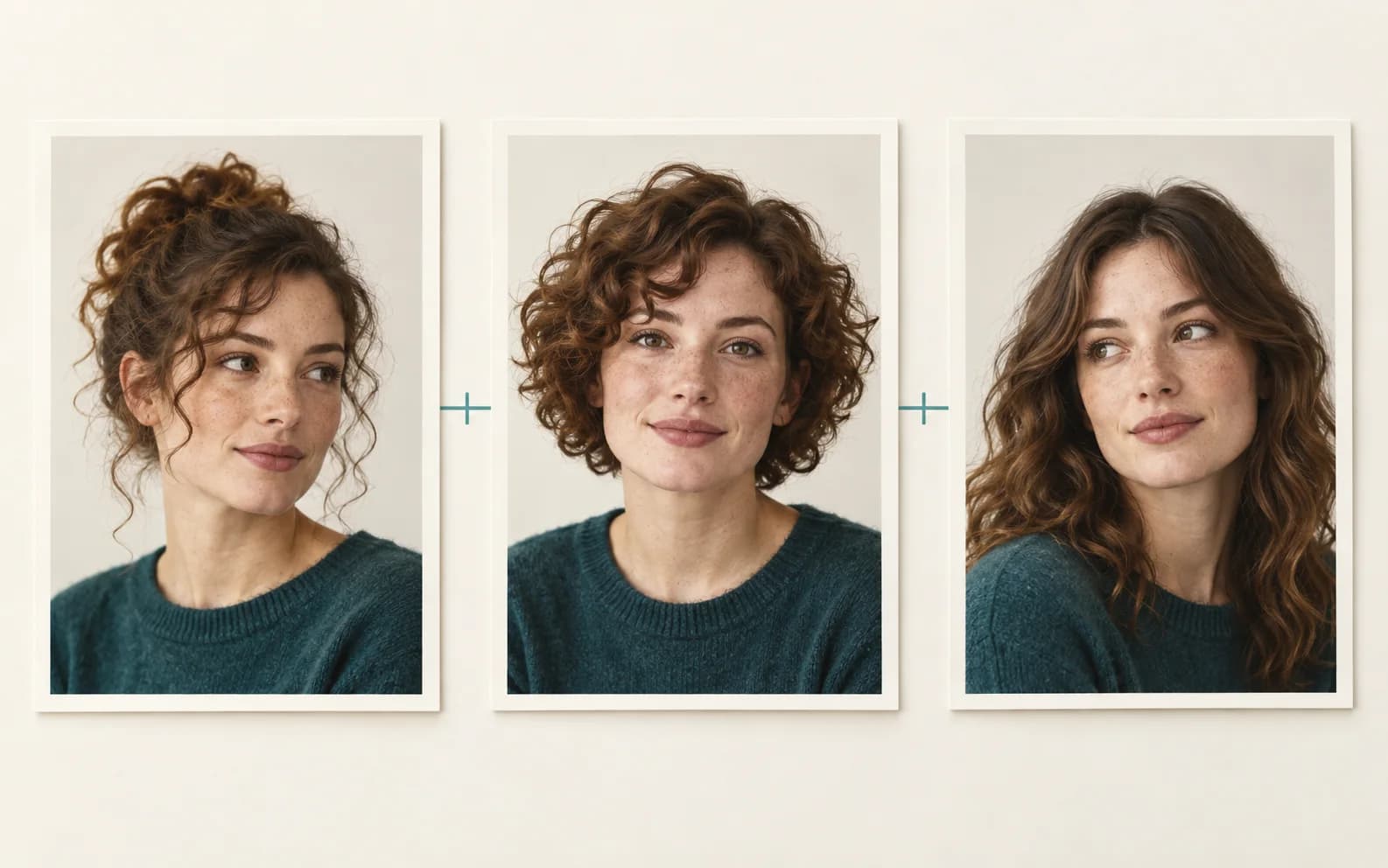
If you have generated several images of one fictional creator and found that they look like different people, you have seen character drift. It matters when an account or campaign relies on a recognizable recurring person.
This post explains what causes drift, what a reference image changes, and what still needs human review across a batch.
Key Takeaways
- Separate text-only requests can drift. Without a shared visual reference, the model reinterprets your description each time.
- Words are too loose to pin down a face. Even a detailed prompt has thousands of valid renderings, and the model picks a new one per image.
- Reference images help with what words leave open. They give the model a visual target instead of only a description.
- A face score can flag a possible miss. Compare it with the reference and inspect the full image before accepting a slide.
- Keep visual review. A face score can flag some misses, but it cannot judge the whole image or the slide sequence.
Why Text-Only Image Requests Drift
A standard text-to-image model answers one question at a time: given this prompt, produce an image. It does not remember the last image it made for you, and it does not know that this character is supposed to match a previous one. Every request is a clean slate.
So when you ask for "the same character" by writing the same description again, the model is not recalling anything. It is generating a fresh interpretation of those words. Two valid interpretations of "freckled woman with short brown hair" can look like two different people, and across five slides those differences are impossible to hide.
This is why prompt detail alone rarely guarantees consistency. You can add more adjectives, more detail, more constraints, and the face still wanders. The problem is structural, not a matter of writing a better sentence.
Why More Detailed Prompts Do Not Save You
It is tempting to think the answer is a longer prompt. If "brown hair" is too vague, surely "shoulder-length chestnut hair with a center part and subtle waves" pins it down. In practice it helps a little and then plateaus.
The reason is that language is a lossy way to specify a face. Human faces vary along far more dimensions than you can practically describe, and the model fills every gap you leave with its own guess. A description narrows the space of outputs, but the remaining space is still enormous. The character keeps drifting, just within tighter bounds.
The Fix: Condition on a Reference Image
One useful step is to show the model a clear image of the intended creator. Reference-image conditioning gives each request the same visual target while you change the scene. Wavegrain uses a saved creator reference for its reference-guided generation path.
The anchor is more specific than a sentence, but the model may still vary features you wanted to keep. Compare the result to the reference and to the other slides before deciding it works. The practical sequence is in our guide to making consistent AI carousels.
Measuring Consistency With Face-Similarity Scores
Once you anchor on a reference, you can also measure how well it worked instead of guessing. Face-recognition models such as ArcFace turn two faces into numerical embeddings and return a cosine-similarity score between them. A higher score suggests a closer facial match to the reference, while a lower score can flag possible drift. The score is a screening signal, not proof that the images show one convincing character. Wavegrain does not score face similarity, so you compare each slide against the reference yourself. A high face score does not establish that the hands, clothing, text, or product details are correct, so a person still needs to inspect the slide.
Review and Revise a Weak Slide
When a slide looks wrong, revise or regenerate that slide against the same reference. Keep the other slides if they work. Then inspect the full sequence again, since replacing one image can change the visual rhythm.
The loop is reference, generation, comparison, and revision. It belongs inside the broader carousel workflow, which also covers the script and export review.
In any tool that scores similarity, a stricter threshold flags more images and a looser one misses visible changes. Neither setting replaces looking at the images side by side, especially when a face is partly hidden or turned away.
What Makes a Good Reference Anchor
Not every photo works equally well as an identity anchor. The strongest references show the face clearly, lit evenly, looking close to the camera, with no heavy shadows or extreme angles. A few references that capture the character from slightly different angles give the model more to hold onto than a single locked pose.
Avoid references where the face is small in the frame, partly hidden, or buried in noise. The model can only preserve what it can clearly see, so a weak anchor produces weak consistency no matter how good the generation step is. If you are building a creator from scratch, it is worth generating one clean hero image first and using that as the canonical reference for everything after.
Lighting and outfit also carry identity signals. If you want the same wardrobe across a batch, show it clearly in the reference and describe it in the prompt. Check the resulting slide because neither input guarantees that the outfit will remain unchanged.
Common Mistakes That Reintroduce Drift
Even with a reference, a few habits quietly bring drift back. The first is overwriting the identity with a heavy text prompt that contradicts the anchor. If your reference shows brown eyes and your prompt insists on blue, you are fighting yourself, and the result is unstable.
The second is changing the reference between slides. Swapping in a new anchor partway through a batch resets the look, which defeats the point. Pick one canonical reference and feed it to every generation in the set.
The third is pushing the scene variation too far. Asking for a wildly different angle, a heavy stylization, or a dramatic lighting change gives the model room to reinterpret the face along the way. Vary the scene enough to keep the carousel interesting, but keep the framing close enough that the identity survives.
The Short Version
Text descriptions leave room for different faces. A stable reference narrows that room, and a side-by-side review catches the changes that still appear. Keep the reference for future batches and repeat the review whenever the setting, angle, or style changes.
Frequently asked questions
- Why do AI characters look different in every image?
- Because most text-to-image models treat each prompt as independent and have no memory of previous outputs. A text description like 'red-haired woman in a denim jacket' has thousands of valid interpretations, so the model picks a slightly different one each time, which reads as the character changing.
- What is identity conditioning in AI image generation?
- Identity conditioning guides an image model with a reference picture of the intended person. It can improve the chance of keeping recognizable features while changing the scene, but the result still needs visual review.
- How do you measure AI character consistency?
- A face similarity model such as ArcFace can compare a generated face with a reference and flag possible misses. The score covers facial similarity, so a person should also check hair, styling, text, anatomy, and the story across slides.
- Is a detailed prompt enough to keep a character consistent?
- A detailed prompt can help, but it still leaves room for different interpretations of a face. A reference gives the model a clearer target. Check the generated set because even reference-guided images can change.